- Log into It’s Me 247 Online Banking
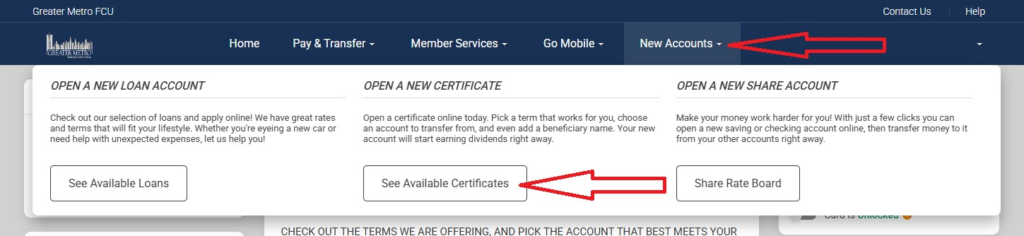
- Click on “New Accounts” and select “See Available Certificates”
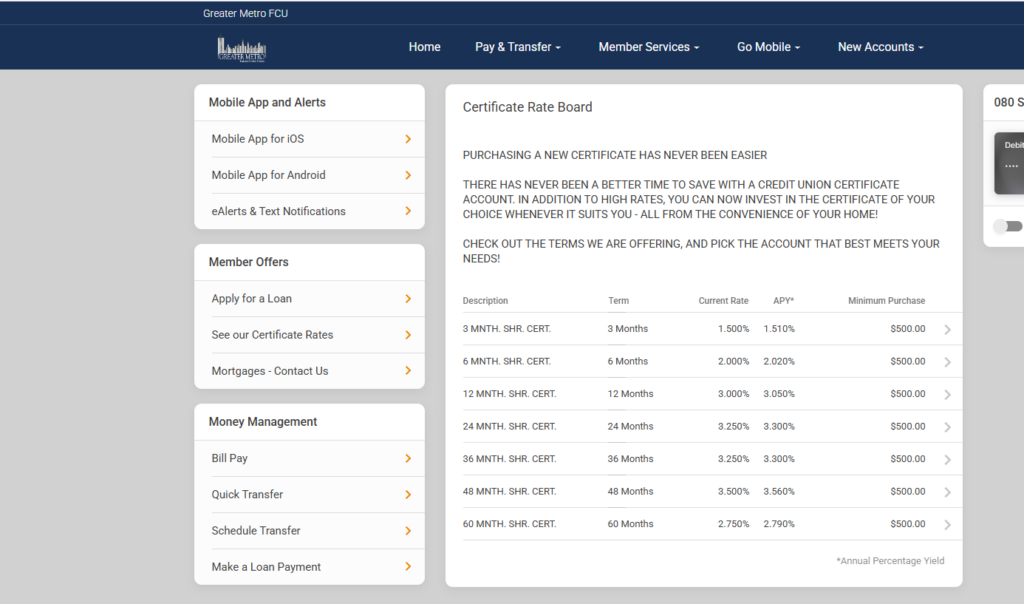
- Select your Certificate Term
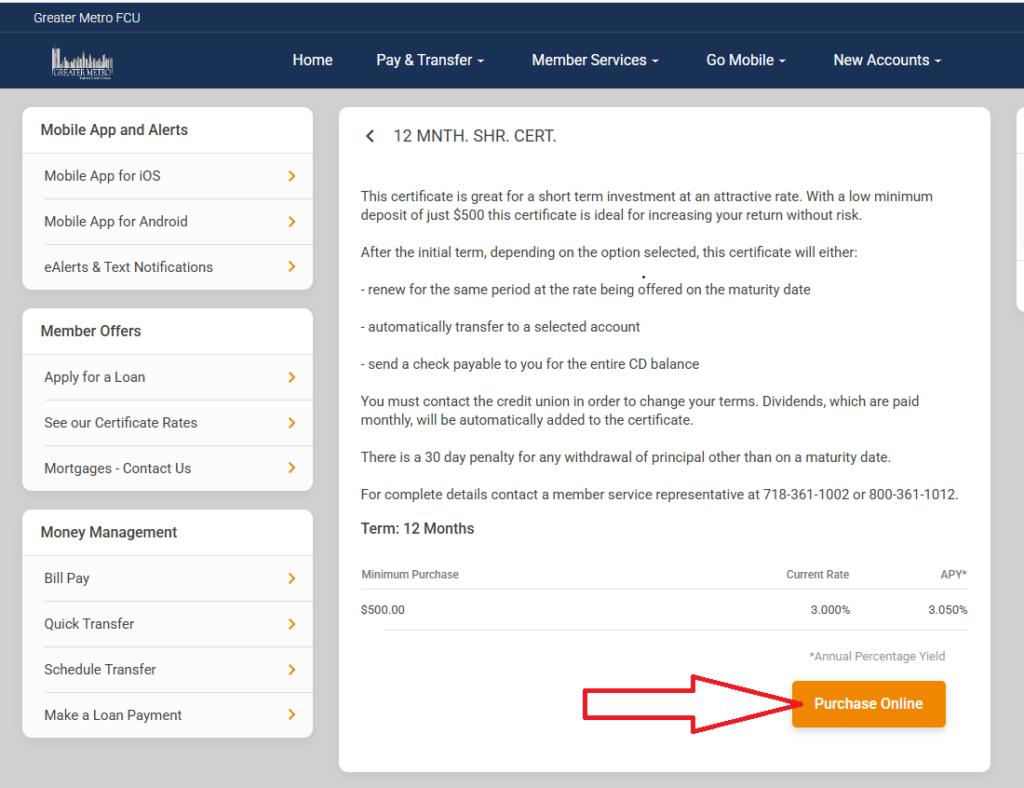
- Read “Terms and Conditions” and click “Purchase Online”
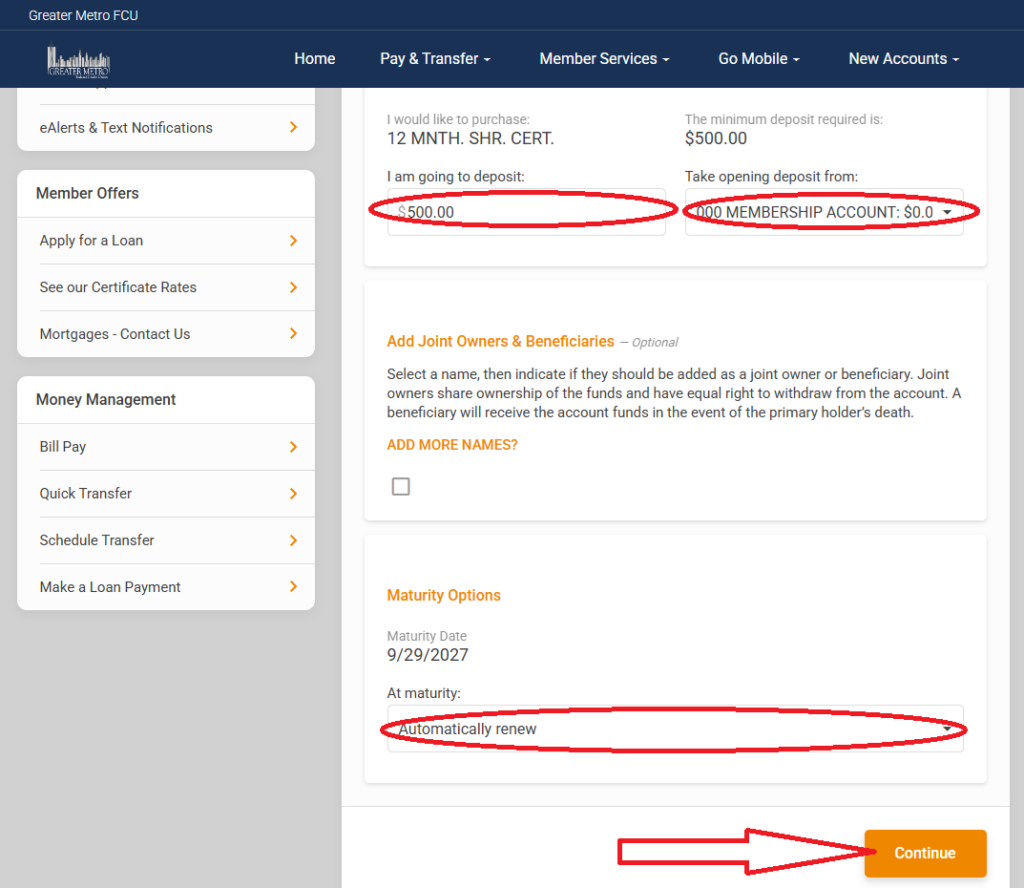
- Enter dollar amount you would like to deposit, select sub-account to take the funds from, select Maturity Option and click “Continue”
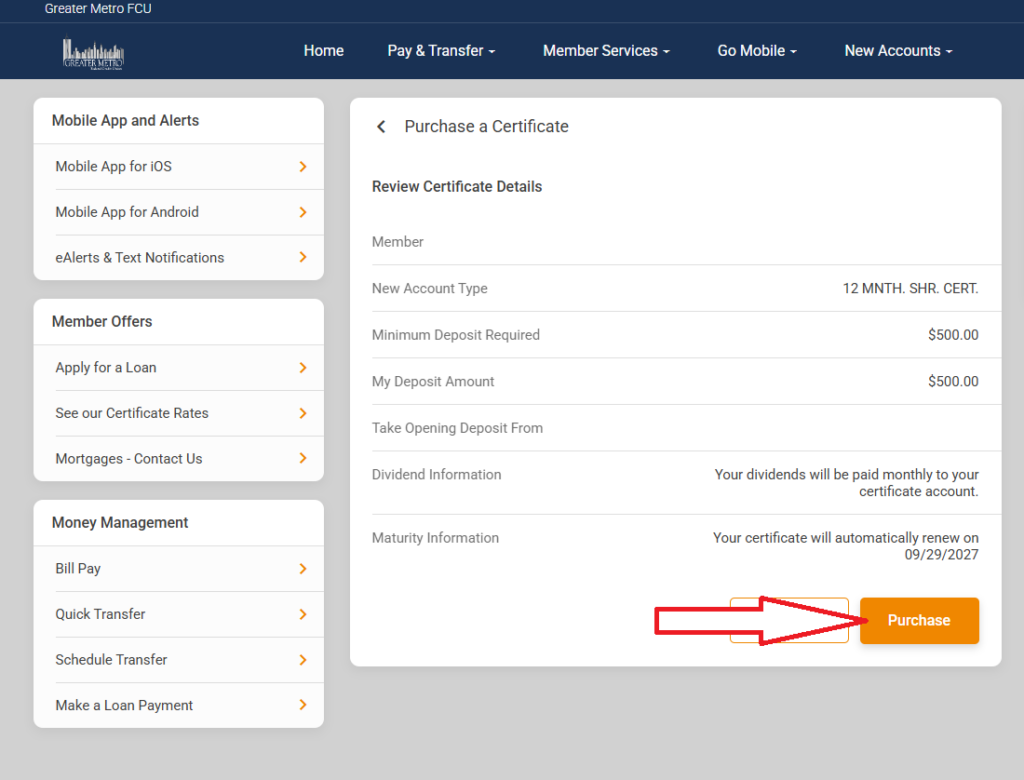
- Review details and click “Purchase”

TruStage